A redesign is one of the best ways to win more customers — and one of the easiest ways to lose the traffic you already have. Sites often drop in search after a relaunch because URLs changed, pages disappeared or tracking broke, not because the new design was worse.
Short answer: before you redesign, record what works today (traffic, rankings, leads), map every old URL to a new one with 301 redirects, keep or improve your best content, and test everything on a staging site before launch. Then monitor closely for the first few weeks.
Signs it's time to redesign
- The site looks dated next to your competitors.
- It is slow or awkward to use on mobile.
- It does not reflect what you sell today.
- Your team cannot easily update content.
- Visitors arrive but few of them get in touch or buy.
If only one or two pages are the problem, a targeted refresh may be enough. If the structure, speed and brand all need work, plan a full redesign.
Stage 1: Audit what you have
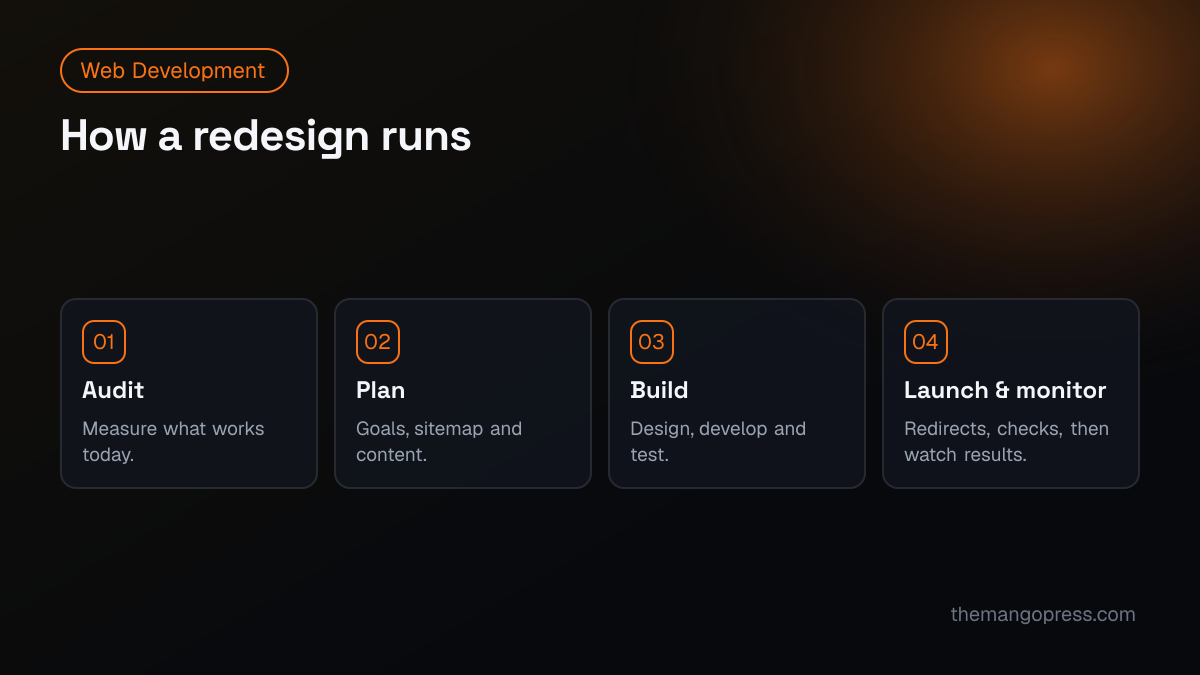
Before changing anything, take a snapshot of the current site:
- Traffic and leads: export the last 12 months from GA4 — top landing pages, conversions and traffic sources.
- Search performance: export pages and queries from Google Search Console. These are the pages you must protect.
- Every URL: crawl the site (tools such as Screaming Frog do this) to get a full list of pages, titles and meta descriptions.
- Backlinks: note which pages other sites link to. Losing them without a redirect wastes that authority.
- Speed: record Core Web Vitals in PageSpeed Insights so you can prove the new site is faster.
Stage 2: Plan
- Set goals. More enquiries, more sales, a stronger brand, faster pages — make them measurable.
- Map the new sitemap. Decide which pages stay, merge, are added or are removed.
- Plan content. Keep pages that rank and convert. Improve thin pages instead of deleting them.
- Create a redirect map. A spreadsheet with every old URL and its new destination. No important page should end up as a 404.
- Choose the platform. Make sure it suits your team and future plans. Our guide to WordPress vs Shopify can help for online stores.
Stage 3: Design and build
- Design mobile first; most visitors will see the phone version.
- Keep page titles, headings and copy on ranking pages close to what works, unless you are improving them deliberately.
- Build on a staging site that search engines cannot index.
- Add structured data, clean headings, alt text and internal links as you go — it is far easier than adding them later.
- Test forms, checkout, page speed and accessibility before launch.
Stage 4: Launch
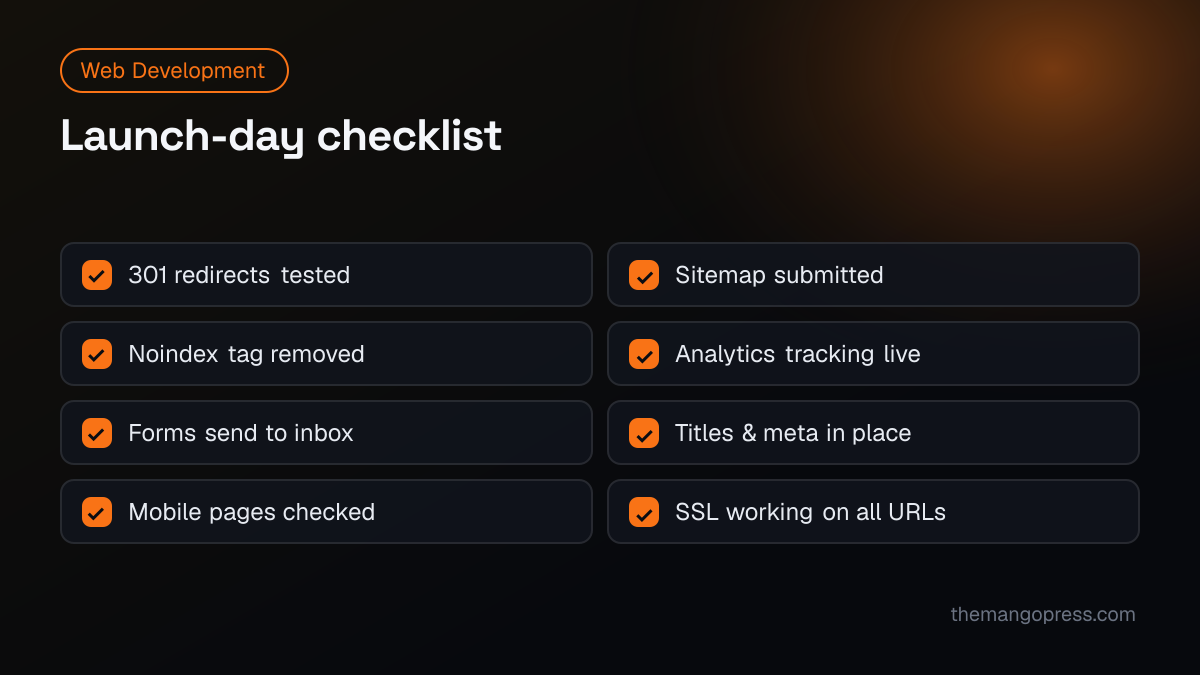
Launch early in the week, when your team is available to fix issues — not on a Friday afternoon. On launch day:
- All 301 redirects are live and tested
- The "noindex" setting from staging has been removed
- XML sitemap is updated and submitted in Search Console
- GA4 and any ad tracking fire correctly, including lead events
- Every form delivers to the right inbox
- Titles, meta descriptions and canonical tags are in place
- HTTPS works everywhere, and www and non-www go to one version
- Key pages checked on a real phone
Stage 5: Monitor
For the first four to eight weeks, check Search Console weekly for crawl errors and 404s, compare traffic and leads with your baseline, and fix any broken redirects quickly. Some movement in rankings is normal right after a launch; a steady decline means something needs fixing.
Common redesign mistakes
- Changing URLs without redirects — the most common cause of lost traffic.
- Deleting content that ranked because it did not fit the new design.
- Launching with the staging "noindex" still on.
- Forgetting tracking, so you cannot tell whether the new site performs better.
- Designing for looks alone instead of for your customers' questions and next steps.
Frequently asked questions
Will a redesign hurt my SEO?
It does not have to. Most drops come from missing redirects, removed content or technical mistakes. With a redirect map, preserved content and careful testing, many sites gain traffic after a redesign because they are faster and better structured.
How long does a website redesign take?
It depends on size and complexity. A small business site can take a few weeks; larger sites with many pages, e-commerce or integrations take longer. See how much a website costs for what affects scope.
Should I keep the same URLs?
If your current URLs are clean and descriptive, keeping them is the safest option. If you change them, redirect every old URL to its closest new equivalent.
Do I need a new domain?
Usually not. Changing domain adds risk. Only do it if there is a strong brand reason, and plan the migration carefully.
Planning a redesign? Our web development team handles design, build and SEO-safe migration together — see how we rebuilt the Leap Networks UK website. For the search side, read our technical SEO checklist, or get in touch for a free review of your current site.