WordPress and Shopify power a huge share of the world's online stores, and both can run a successful business. The right choice depends less on which is "better" and more on what you sell, how much control you want and who will look after the site.
Short answer: choose Shopify if you mainly sell products and want a store that is quick to launch and easy to run without technical help. Choose WordPress with WooCommerce if content and SEO drive your business, you need custom features, or you want full control over hosting and costs.
What is the difference?
Shopify is a hosted e-commerce platform. You pay a monthly subscription and Shopify looks after hosting, security, updates and checkout. You customise your store with themes and apps.
WordPress is open-source software you install on your own hosting. On its own it is a website and blogging platform; the free WooCommerce plugin turns it into a store. You — or your developer — are responsible for hosting, updates, security and backups.
WordPress vs Shopify at a glance
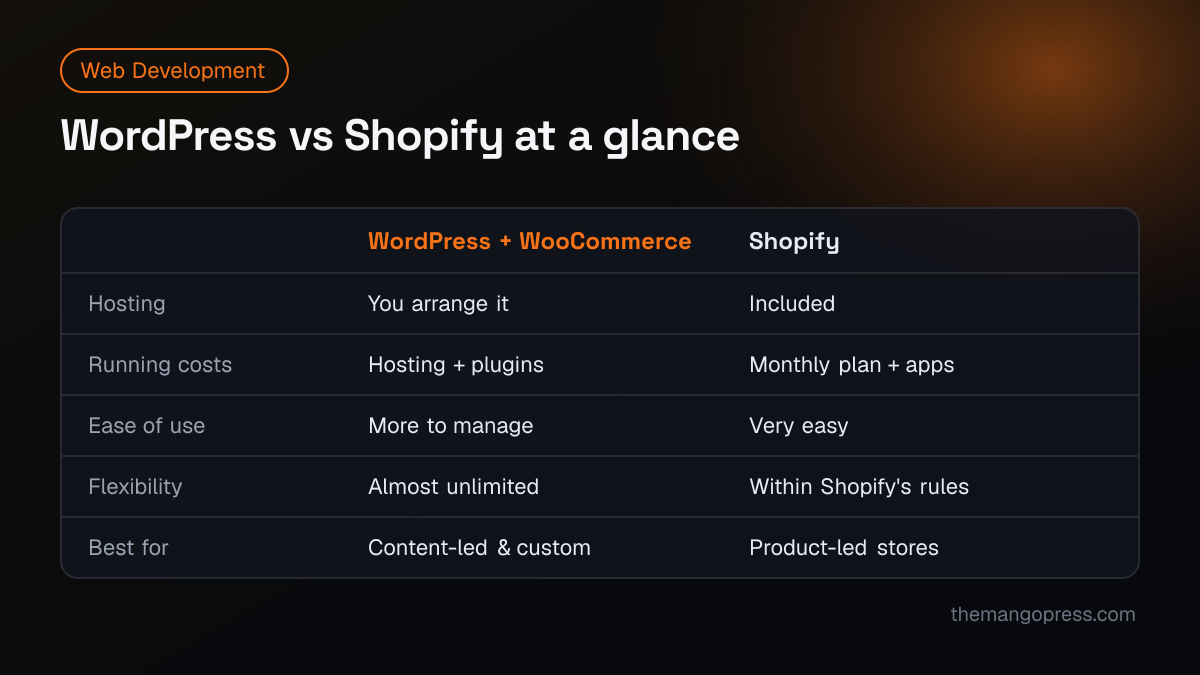
| WordPress + WooCommerce | Shopify | |
|---|---|---|
| Set-up | Install on hosting, configure theme and plugins | Sign up and start building |
| Running costs | Hosting, premium plugins, maintenance | Monthly plan, paid apps, possible transaction fees |
| Ease of use | More options, more to manage | Very easy day to day |
| Design freedom | Almost unlimited | Flexible within theme and platform limits |
| Content & blogging | Excellent | Basic |
| Maintenance | Updates, backups and security are your job | Handled by Shopify |
| Payments | Many gateways via plugins | Built-in checkout; gateway choice depends on your country |
| Ownership | You own the code and data on your own server | Your store runs on Shopify's platform |
Cost: what you really pay
Neither platform is "free". With WordPress, the software and WooCommerce cost nothing, but you pay for hosting, a theme, premium plugins (such as advanced shipping, subscriptions or filters) and someone to keep it all updated.
With Shopify, you pay a monthly plan, plus paid apps for features not built in, and payment processing fees. Costs are predictable, but apps add up as the store grows.
For a fair comparison, add up first-year build cost plus 12 months of running costs for the features you actually need. Our guide to how much a website costs explains what drives build prices.
Ease of use and maintenance
Shopify is the easier platform for most store owners. Adding products, managing orders and running discounts is straightforward, and you never have to think about server updates.
WordPress gives you more control, but it also gives you more responsibility. Plugins and themes need regular updates, and a poorly maintained WordPress site can become slow or vulnerable. If you choose WordPress, budget for a maintenance plan.
Flexibility and custom features
This is where WordPress wins. Because you control the code and the server, almost anything can be built: custom product configurators, membership areas, multi-vendor marketplaces, complex pricing or integrations with local systems.
Shopify is flexible too, through apps and its developer platform, but you work within Shopify's structure — for example its checkout and URL format. For most standard stores this is not a problem; for unusual business models it can be.
SEO
Both platforms can rank well. What matters more is good content, fast pages and a clean structure.
- WordPress is excellent for content-led SEO: blogs, guides and landing pages are easy to create, and you have full control over URLs, schema and technical settings.
- Shopify handles the basics well — titles, descriptions, sitemaps, mobile-friendly themes — but has fixed URL structures (such as
/products/and/collections/) and a more limited blog.
If organic search and content are central to your growth, WordPress has the edge. Read SEO vs PPC to plan how you will bring traffic to either platform.
Payments: check your country first
Before choosing, confirm which payment gateways work in the countries you sell to. Shopify's own payment service is not available everywhere — in some countries, including Pakistan, stores rely on third-party gateways or cash on delivery. WooCommerce has plugins for many local and international gateways, which can make it the simpler option in markets with local payment methods.
Selling across Pakistan, the UK and the Gulf? Check currency, tax and shipping settings for each market before you commit.
Which platform should you choose?
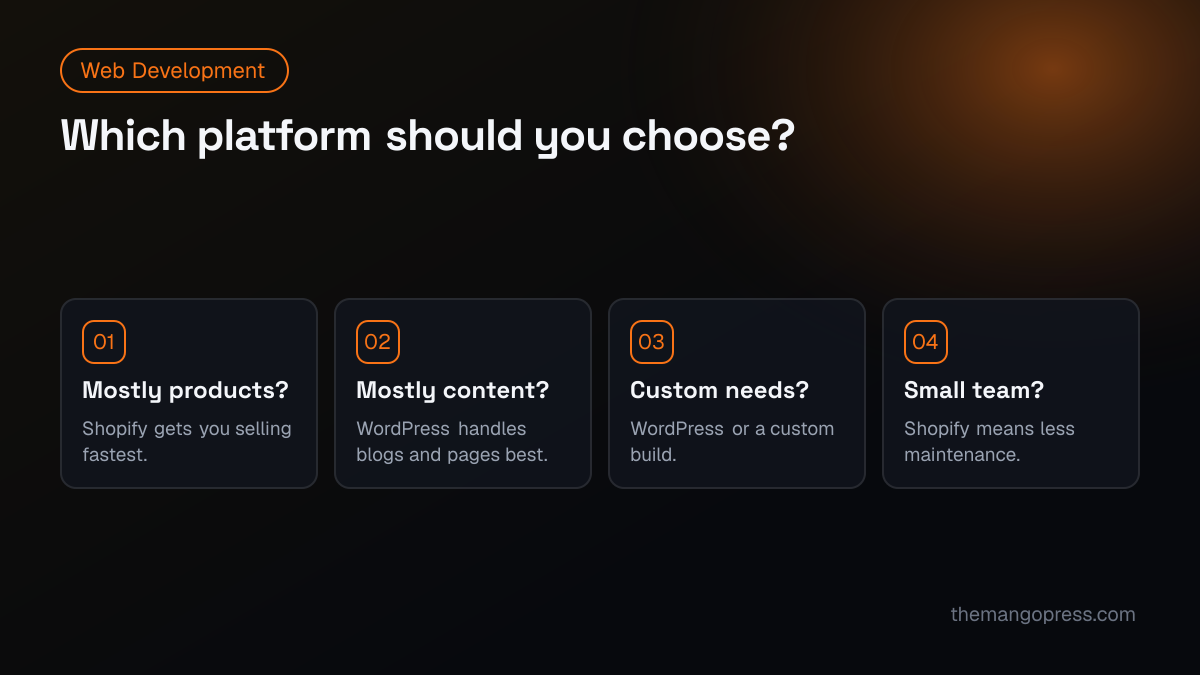
Choose Shopify if:
- you mainly sell products and want to launch quickly,
- you do not have a developer on hand,
- you want predictable monthly costs and no server maintenance.
Choose WordPress + WooCommerce if:
- content, blogging and SEO are a big part of your marketing,
- you need custom features or integrations,
- you need specific local payment gateways,
- you want full ownership of your code and hosting.
Consider a custom build if your store has complex requirements, very high traffic or needs a completely unique experience. Frameworks like Next.js combined with a headless commerce back end give the most speed and freedom, at a higher build cost.
Can you switch later?
Yes. Products, customers and orders can be migrated in either direction, but design, apps and URLs need rebuilding, and redirects must be set up carefully to protect SEO. It is cheaper to choose well at the start.
Frequently asked questions
Is Shopify better than WordPress for beginners?
Usually, yes. Shopify is easier to set up and maintain without technical help. WordPress is just as capable but needs more care.
Is WordPress cheaper than Shopify?
Not always. WordPress has no subscription, but hosting, premium plugins and maintenance add up. Compare total costs for the features you need over at least a year.
Which is better for SEO?
Both can rank well. WordPress offers more control and is stronger for content-led SEO; Shopify covers the essentials with less effort.
Can I sell internationally on both?
Yes. Both support multiple currencies and languages through built-in features or apps. Check payment, tax and shipping options for each country you sell to.
Planning an online store? Our web development team builds on Shopify, WordPress and custom Next.js — see the ZK Closet e-commerce project, or get in touch and we'll recommend the right platform for your products and budget.