AI chatbots have moved far beyond the clunky decision-tree bots of a few years ago. Modern assistants built on large language models can understand natural questions, answer from your own content, qualify leads and hand conversations to your team — around the clock and in multiple languages.
Short answer: an AI chatbot is worth it when you get repetitive questions, lose leads outside business hours, or want to qualify enquiries before they reach your sales team. Start with one focused use case, ground the bot in your own approved content, and measure it like any other channel.
What can an AI chatbot actually do for a business?
- Answer customer questions instantly — pricing ranges, services, opening hours, delivery, returns.
- Qualify leads — ask about budget, timeline and needs, then route hot leads to sales.
- Book appointments — connect to your calendar and confirm bookings in the chat.
- Support customers after the sale — order status, onboarding steps, troubleshooting guides.
- Work across channels — your website, WhatsApp, Facebook Messenger and Instagram.
- Speak your customers' languages — useful when serving the UK, the Gulf and beyond at once.
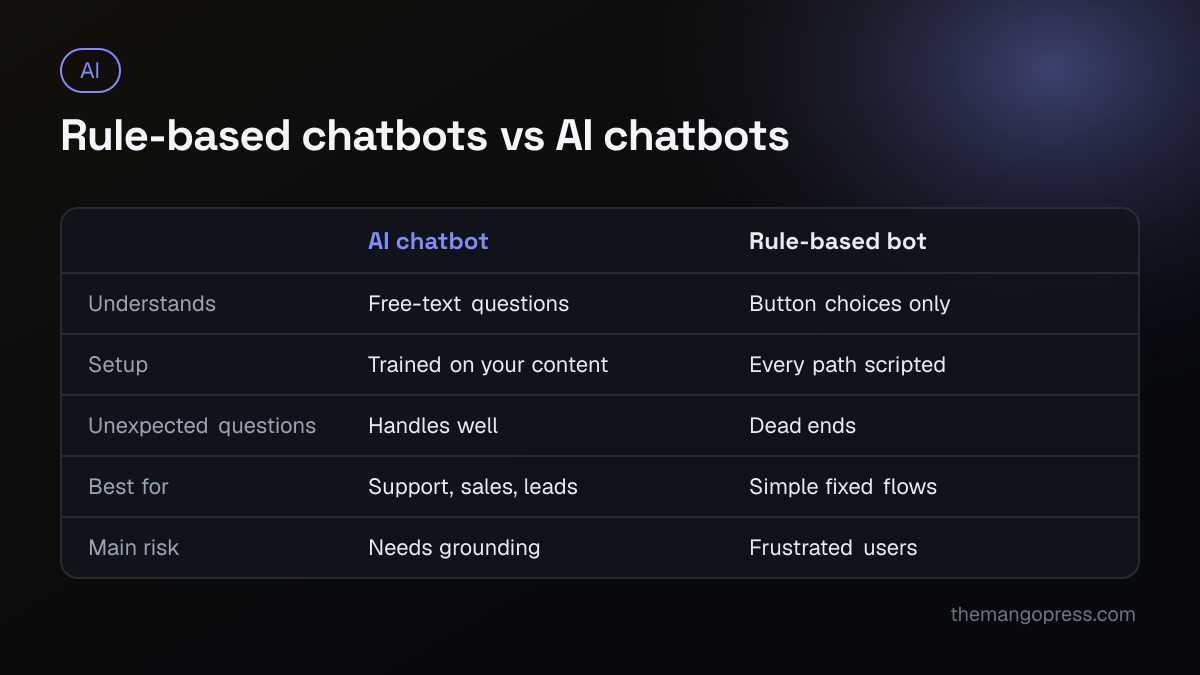
Rule-based bots vs. AI chatbots
| Rule-based chatbot | AI (LLM) chatbot | |
|---|---|---|
| How it works | Fixed buttons and decision trees | Understands free-text questions |
| Setup | Every path must be scripted | Trained on your documents, FAQs and website |
| Handles unexpected questions | Poorly | Well, within its knowledge |
| Best for | Very simple, predictable flows | Support, sales and lead qualification |
| Risk | Frustrating dead ends | Must be grounded to avoid wrong answers |
Real-world use cases by industry
- E-commerce: product recommendations, size and shipping questions, order tracking.
- Professional services and agencies: lead qualification and discovery-call booking.
- Education and training: course information, admissions questions, enrolment steps.
- Healthcare and clinics: appointment booking and pre-visit information (with care around medical advice).
- Real estate: property questions, viewing bookings and buyer qualification.
- Non-profits: donation information, volunteer sign-ups and programme FAQs.
What drives the cost of an AI chatbot?
Rather than a single price, think about these cost drivers:
- Scope — a website FAQ assistant is much simpler than a bot that books, sells and supports.
- Knowledge base — how much content needs to be prepared, cleaned and kept up to date.
- Integrations — CRM, calendar, e-commerce platform, WhatsApp Business API, helpdesk.
- Channels — each additional channel adds setup and testing.
- Usage — AI model and messaging costs scale with the number of conversations.
- Ongoing improvement — reviewing conversations, updating content and tuning answers.
Off-the-shelf chatbot tools are the quickest way to start; a custom build makes sense when you need deep integrations, specific workflows or full control over data and behaviour.
Risks — and how to manage them
- Wrong or invented answers. Ground the assistant in your own approved content and instruct it to say "I don't know" and hand over when unsure.
- Data privacy. Avoid collecting sensitive data you do not need, tell users they are talking to an AI, and follow the privacy laws in the markets you serve.
- Brand voice. Give the bot a clear tone-of-voice guide and review sample conversations before launch.
- Dead ends. Always provide a path to a human — a form, email, phone number or live handover.
- Set and forget. Review transcripts regularly; they are also a goldmine of customer insight.
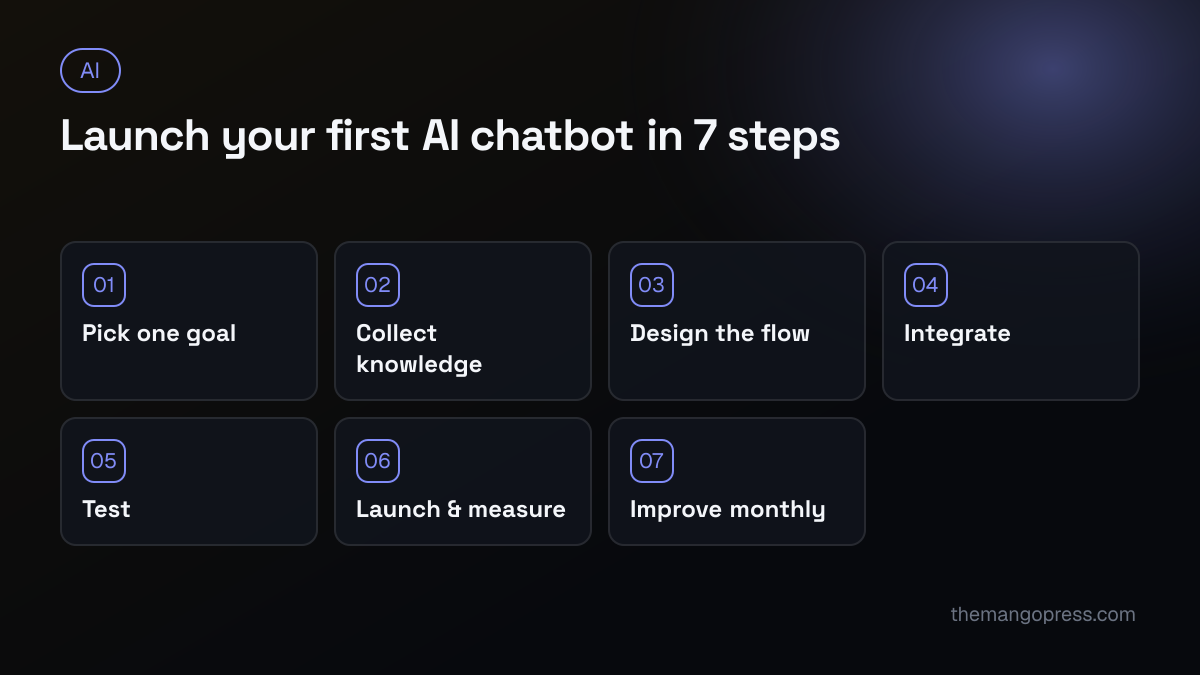
How to launch your first AI chatbot: step by step
- Pick one goal. For example: "Qualify website leads and book discovery calls."
- Collect the knowledge. FAQs, service pages, pricing guidance, policies and common objections.
- Design the conversation. What the bot should ask, when it should hand over and what it must never say.
- Choose the platform and integrations. Website widget, WhatsApp, CRM and calendar.
- Test with real questions. Use real enquiries from your inbox and edge cases your team has seen.
- Launch and measure. Track conversations, leads, bookings, handover rate and customer satisfaction.
- Improve monthly. Update content, fix weak answers and expand to the next use case.
How to measure success
- Number of conversations and how many are resolved without a human
- Leads captured and meetings booked
- Response time compared with before
- Customer satisfaction ratings
- Hours of team time saved each month
Frequently asked questions
Will an AI chatbot replace my support team?
No — it handles the repetitive questions so your team can focus on complex, high-value conversations. The best results come from AI and humans working together.
Can an AI chatbot work on WhatsApp?
Yes. Using the WhatsApp Business Platform, an AI assistant can answer questions, qualify leads and pass conversations to your team inside WhatsApp — very effective in markets where WhatsApp is the main way customers communicate.
How long does it take to set up?
A focused pilot can often go live within a few weeks, depending on how ready your content is and how many systems it connects to.
Does a chatbot help SEO?
Not directly. But the same well-structured content that powers a good chatbot also helps search engines and AI assistants understand your business — read more in our guide on SEO vs PPC.
Want an AI assistant that actually helps your customers? Our AI solutions team designs, builds and integrates chatbots and automations grounded in your own content. See the kind of web platforms we build, like the TWCFT admin and payments system, then book a free call to scope your first pilot.